Your honeypot may be blocking real visitors
A honeypot is spam protection the visitor never notices. No puzzles, no third-party scripts, nothing to click. You add a hidden field, bots fill in every field they find, and a filled field means spam.
Until a real customer’s message disappears, and the log says “spam detected”.
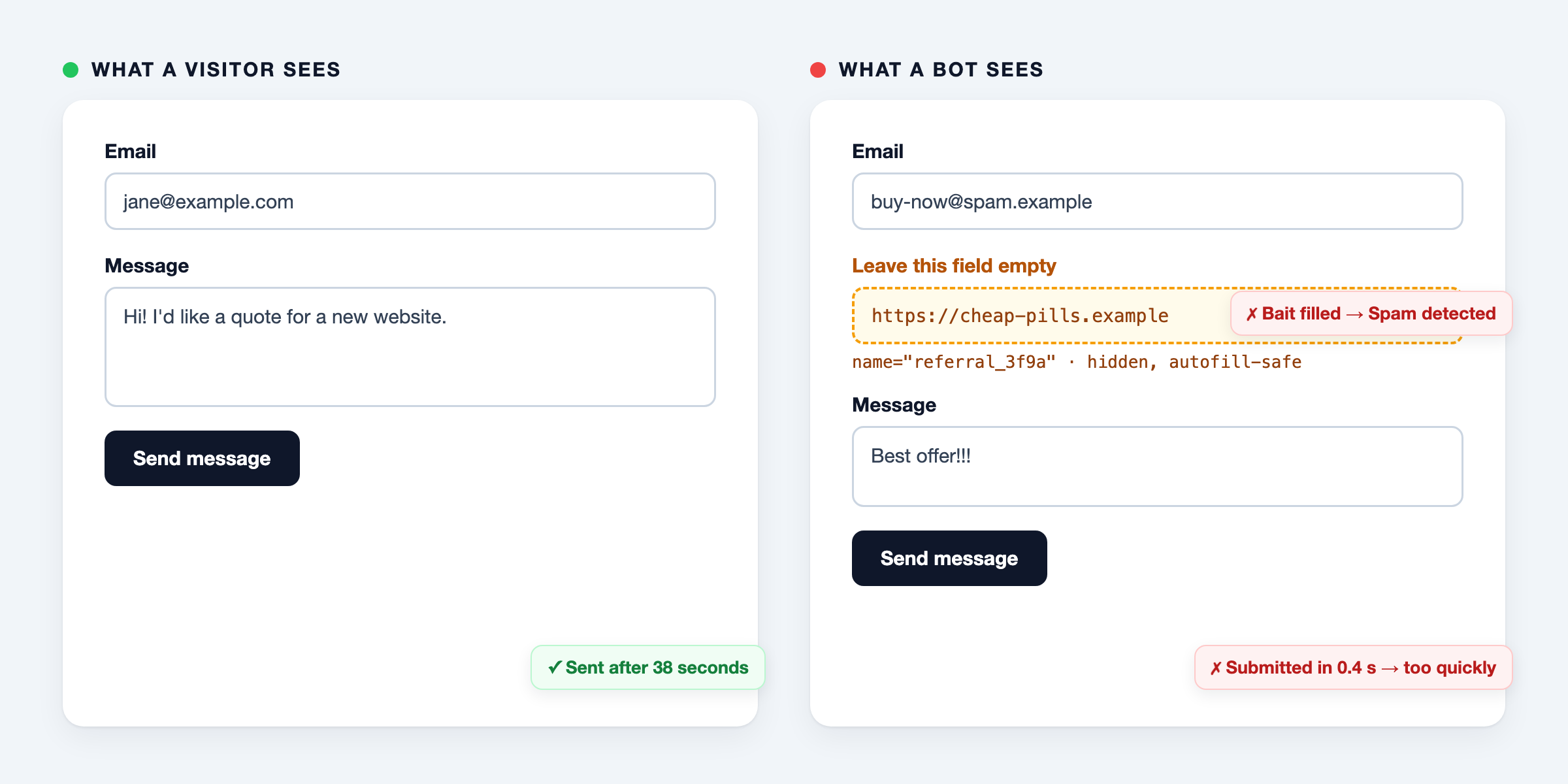
The field bots love, browsers love too
A common choice is to name the bait something a bot wants to fill: website, url, company, phone.
Browsers look for those names too. Browser autofill recognises a field by signals such as its name, id, label and autocomplete attribute, and offers to fill it with the visitor’s saved details. Password managers do the same, with their own rules.
A field named website with the label “Website” is a textbook match. The visitor clicks “Fill”, the browser fills the email field and the hidden website field along with it, and the visitor presses Send. They never saw that field, so they can’t know why the form didn’t go through.
Don’t rely on autocomplete="off" alone. MDN documents that many browsers ignore it for login fields. For other fields, the autofill test shows what your own browser does.
Why you rarely notice
It only happens to visitors who use autofill, only on some forms, and only in some browsers. On your own machine the form works. The failed submission looks exactly like spam, so it ends up in the spam counter or gets silently dropped.
It gets worse when the honeypot answers spam with a blank page or a fake “thank you”, a trick to keep bots from learning. Then the visitor believes the message was sent, or has no idea what went wrong.
Test it yourself
The honeypot autofill test lets you autofill a form with common bait fields in your own browser and see which ones get filled. It also checks the HTML of your own form.
How to prevent it
- Pick a name no autofill rule matches. Avoid
name,email,phone,tel,address,city,zip,company,organization,url,websiteandhomepage, also as part of a longer name. Words likereferral,occasionorremarksstill look like real fields to a bot. - Use a neutral label. Autofill reads labels too, so “Website (leave empty)” still matches. “Leave this field empty” doesn’t.
- Tell password managers to skip it. Add
data-1p-ignore,data-lpignore="true",data-bwignoreanddata-form-type="other". - Keep
autocomplete="off"andtabindex="-1". Not enough on their own, but they help. - Show an error instead of pretending it worked. If a real person does get caught, a visible “please try again” costs you one extra click instead of a lost customer.
- Log blocked attempts. A sudden rise, or many blocks from one form, points to a false positive rather than a wave of spam.
In Laravel and Livewire
darvis/livewire-honeypot does the first five by itself since version 1.2, and gives you the event for the sixth: a generated bait name from autofill-safe words, a neutral label, the password manager attributes, a visible validation error, and a SpamBlocked event to log.
composer require darvis/livewire-honeypot
<form wire:submit="submit">
    <input type="email" wire:model="email">
    <x-honeypot />
    <button type="submit">Send</button>
</form>
The component also needs the HasHoneypot trait and a call to validateHoneypot(); Livewire forms has the complete example.
Installation has the full steps, and Troubleshooting lists the other reasons a real visitor can be blocked.
Using another honeypot? Paste your form into the autofill test, and check your spam log for messages that look human.