Livewire Honeypot
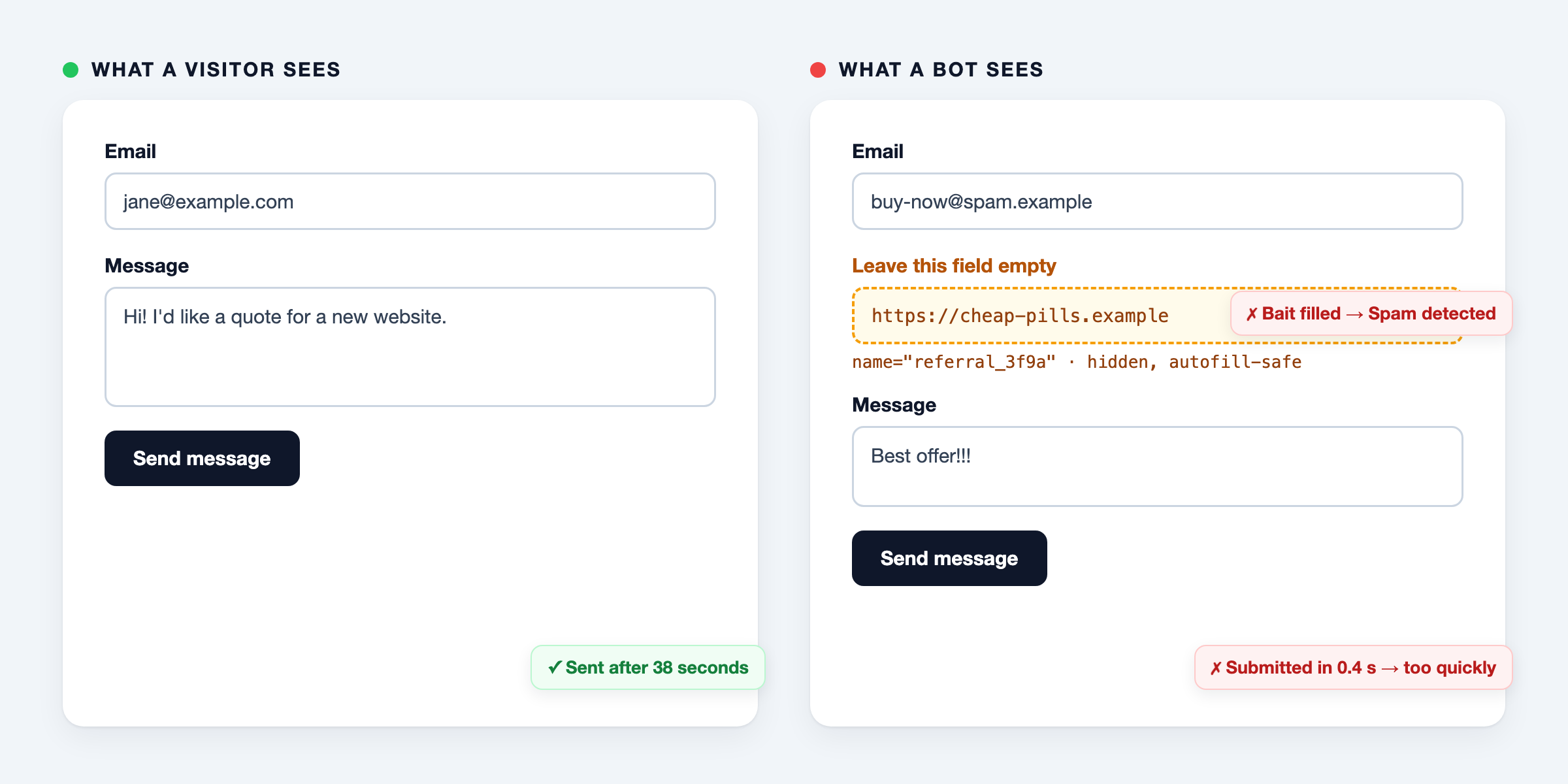
darvis/livewire-honeypot is a Laravel package that stops automated form spam without a CAPTCHA. It adds a hidden field that only bots fill in (the honeypot), and it refuses a form that is submitted faster than a person can type (the time trap).
It is for Laravel developers who have a contact, quote or signup form, built as a Livewire component or as a plain Blade form with a controller. The package sets no cookies, loads no JavaScript and sends nothing to another service. All checks run on your own server.
What it does not do
- It does not stop a person who types spam by hand.
- It does not stop a bot that runs a real browser, skips hidden fields and waits a few seconds.
- It does not limit how often a form is submitted. Add Laravel’s
throttlemiddleware for that. - It has no middleware of its own. You call one method in the Livewire action or in the controller.
How it works explains these limits.
Requirements
- PHP 8.2 or higher
- Laravel 11, 12 or 13
- Livewire 3 or 4. Composer installs Livewire together with the package, also when you only protect plain forms.
- An
APP_KEYin.env. A new Laravel application has one;php artisan key:generatecreates it.
Install
composer require darvis/livewire-honeypot
Then, in a Livewire form:
- Add the
HasHoneypottrait to the component. - Put
<x-honeypot />inside the<form>. - Call
$this->validateHoneypot()in the method that handles the submit.
Installation has the full steps and a way to check that it works. There is nothing to publish and no migration to run.
All pages
- Installation: requirements, the steps, and how to check that the honeypot works
- Livewire forms: a complete contact form, single-file and multi-file components, form objects
- Plain forms and controllers: a Blade form with a controller, expiry, key rotation, JavaScript forms
- Configuration and events: the four settings, translations, Content Security Policy, the
SpamBlockedevent - Testing your forms: test a protected component or controller in your own application
- How it works: the checks in order, why the field is hidden this way, what a honeypot does not stop
- Troubleshooting: real visitors are blocked, nothing is blocked, and every error message with its cause
- Compared to alternatives: spatie/laravel-honeypot and CAPTCHA services
- Your honeypot may be blocking real visitors: how browser autofill fills hidden fields
- Honeypot autofill test: see whether your browser fills hidden fields, and check your own form
- FAQ: short answers to common questions